
Download Vidmore DVD Monster – Fast DVD Ripping & Conversion Tool
Overview
Vidmore DVD Monster is a desktop‑focused DVD ripping and conversion solution that aims to simplify the process of extracting media from physical discs, ISO images, or local folders. Built by the seasoned team behind Vidmore’s multimedia suite, the program combines a high‑speed ripper, a versatile converter, and a lightweight editor into a single, easy‑to‑navigate interface. Whether you need to back up a family movie, create an audio‑only version of a concert DVD, or batch‑process a collection of discs into 4K‑ready files, DVD Monster promises to deliver the job without sacrificing quality. The software supports more than 200 output formats, ranging from popular video containers like MP4, MKV, and AVI to audio codecs such as MP3, AAC, and FLAC. A free trial lets users explore the core features before deciding on a one‑time purchase or a subscription plan. While it shines in DVD handling, it does not natively support Blu‑ray discs, a limitation to keep in mind if you own a mixed library. Overall, Vidmore DVD Monster positions itself as a capable, secure, and user‑friendly tool for anyone looking to manage DVD content on Windows or macOS.
Key Features & Performance
Core Features
- Fast DVD ripping with hardware acceleration (GPU & CPU).
- Support for over 200 output video and audio formats.
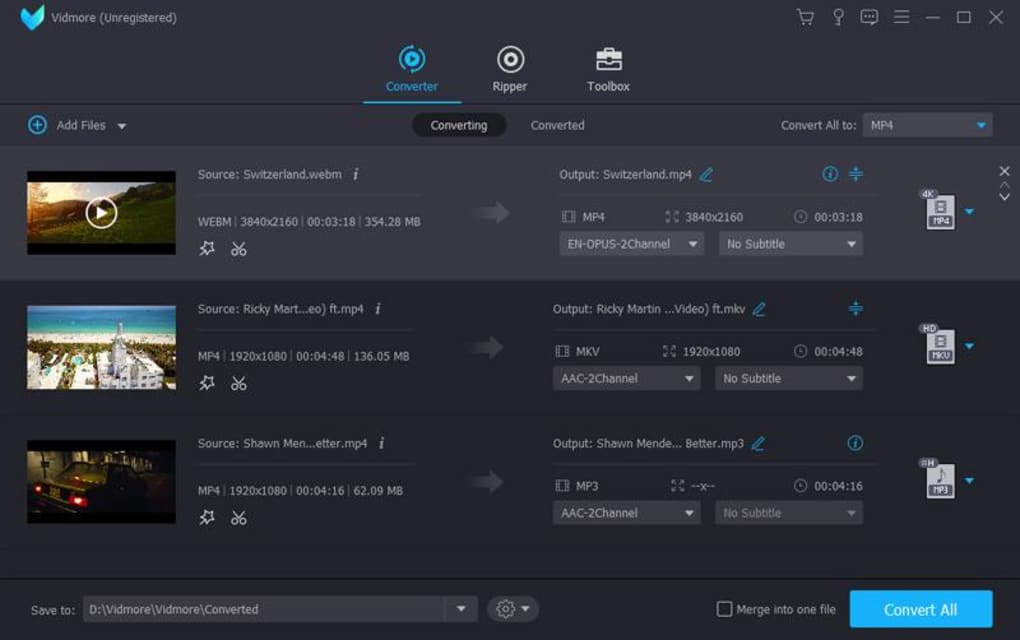
- Batch processing for multiple discs or files simultaneously.
- Built‑in editor with filters, subtitles, and watermark options.
- 4K resolution output and HDR handling.
- ISO creation and disc burning capabilities.
- Automatic error detection and recovery for scratched discs.
Performance is one of the standout aspects of Vidmore DVD Monster. By leveraging modern GPU acceleration (NVIDIA, AMD, or Intel), the software can cut ripping times by up to 50 % compared with CPU‑only solutions. This means a typical 2‑hour movie can be extracted and converted in under 30 minutes on a mid‑range PC, while high‑end workstations can achieve near‑real‑time conversion. The batch processor respects your hardware limits, allowing you to queue up to 10 discs without overwhelming the system. In addition, the integrated editor provides basic trimming, cropping, and color correction tools, which are useful for quick fixes before exporting. The output quality remains faithful to the original source because DVD Monster uses lossless extraction before applying any conversion presets, ensuring that the final file retains the original audio‑track bitrate and video resolution. Users who require precise control can also customize encoding parameters manually, giving advanced users the flexibility typically found only in dedicated transcoding suites.
Installation, Usage & Compatibility
Step‑by‑Step Installation
- Visit the official Vidmore website and click the “Download DVD Monster” button for your operating system.
- Run the installer ( .exe for Windows / .dmg for macOS) and follow the on‑screen prompts.
- Accept the license agreement and choose the default installation folder or a custom path.
- When prompted, enable the optional “GPU Acceleration” component to unlock faster ripping.
- Finish the wizard and launch the application from the desktop shortcut or Applications folder.
How to Rip a DVD
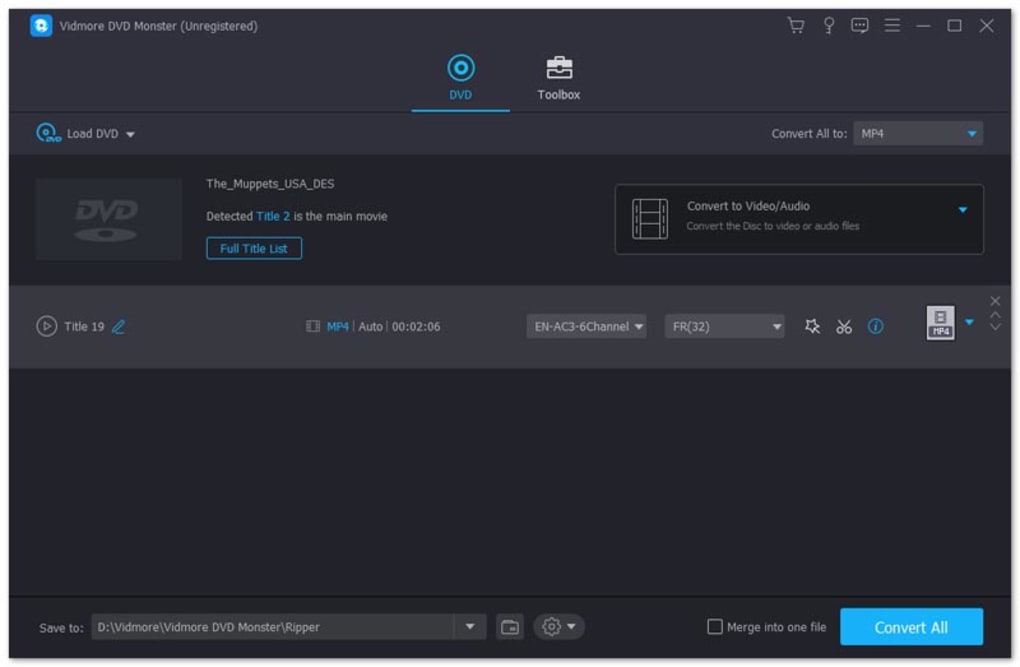
After launching DVD Monster, insert your DVD or browse to an ISO file. The disc’s title, chapters, and audio tracks appear in the main window. Select the desired title, choose an output format from the drop‑down menu, and click “Start.” For batch jobs, add additional discs to the queue and configure a shared output profile. The software will automatically detect the best codec based on your selection and start the conversion. Once completed, the file is saved to the designated output folder, ready for playback on any compatible device.
Compatibility
Vidmore DVD Monster is built for both Windows 10/11 (64‑bit) and macOS 10.15 (Catalina) and later. The application runs smoothly on machines with a minimum of 4 GB RAM and a dual‑core processor, though for optimal 4K batch processing, 8 GB RAM and a modern GPU are recommended. The software does not offer native Linux support, but it can be run through Wine with limited functionality. System requirements are modest enough for most home PCs, while power users will benefit from the optional hardware acceleration feature that taps into DirectX 12 (Windows) or Metal (macOS) APIs.
Pros, Cons, FAQ & Final Verdict
Pros
- Lightning‑fast ripping thanks to GPU acceleration.
- Extensive format library covering virtually every device.
- Intuitive UI that suits both beginners and power users.
- Batch processing and 4K output without extra plugins.
- Built‑in editor for quick tweaks before export.
Cons
- No native Blu‑ray disc support.
- Advanced encoding settings are hidden behind “Expert Mode.”
- Linux users must rely on compatibility layers.
Frequently Asked Questions
Is Vidmore DVD Monster safe to use?
Yes. The software is digitally signed, regularly updated, and does not contain adware or hidden fees. All downloads are hosted on the official Vidmore server.
Can I rip copy‑protected DVDs?
Vidmore DVD Monster includes decryption modules that handle most commercial copy‑protection schemes, but users should respect local copyright laws before proceeding.
What is the difference between the trial and the full version?
The free trial allows unlimited ripping but limits output resolution to 720p and adds a small watermark. The paid version removes these restrictions and unlocks batch processing.
Does DVD Monster support subtitles?
Yes. You can embed external SRT files or extract embedded subtitle tracks and choose whether to hard‑code or keep them as separate streams.
How often are updates released?
Vidmore releases major updates quarterly and minor patches monthly to address codec changes, security improvements, and UI refinements.
Conclusion & Call to Action
Vidmore DVD Monster delivers a balanced mix of speed, flexibility, and ease‑of‑use that makes it a solid choice for anyone who needs to archive or convert DVD content. While the lack of Blu‑ray support may steer power users toward more specialized tools, the software’s extensive format list, 4K batch processing, and built‑in editor provide ample value for most home‑theater enthusiasts and casual converters alike. The free trial offers a risk‑free way to verify performance on your specific hardware, and the one‑time purchase eliminates recurring fees. If you’re ready to secure your DVD collection and enjoy your movies on any device, click the download button below and experience fast, secure ripping today.
Overall Rating: 4.5 / 5







